
Most store schedules are built by habit. The same headcount clocks in at open, the same crew closes, and the shape of the week barely changes from one month to the next. The trouble is that your shoppers don't arrive on a flat schedule, and that mismatch is expensive. Stores are mis-staffed roughly 86% of the time, either paying for idle hours or losing sales because the floor was thin when it mattered.
Retail peak hour staffing is the fix, and it isn't about adding labor you can't afford. It's about placing the hours you already have where the shoppers actually are. When too few associates are working during your busiest window, people wait, give up, and walk out without buying. That lost conversion is real money: a 10% drop in conversion can quietly cost a store $5,000 to $7,000 a month.
This is a repeatable playbook, not a one-time cleanup. Once you can see when people walk through your door, you can build a schedule around the peaks and keep tuning it as your traffic shifts.
Why peak hour staffing is where sales are won or lost
Every store has a rhythm: a slow first hour, a midday build, and one or two clear peaks. Those peaks are the few hours each day when the most shoppers are deciding whether to buy. Coverage during that window does more for your sales than coverage at any other time.
Labor is most retailers' largest controllable expense, so where you spend those hours matters as much as how many you have. (The NRF tracks retail labor as one of the industry's biggest cost lines.) Spreading staff evenly across the day feels fair, but it leaves your peaks under protected and your slow hours overstaffed. The goal is the opposite: thin the quiet stretches and concentrate coverage where shoppers actually show up.
This is also where staffing meets conversion. Traffic tells you when people arrive. Conversion tells you whether your team turned those visits into sales. When traffic holds steady but conversion dips during a specific hour, that's usually a coverage problem you can solve.
Step 1: Map your real shopper-flow curve
Start with the data, not your gut. Pull at least four weeks of foot traffic and look at the shape of an average day, hour by hour, rather than the daily total. Four weeks smooths out one-off spikes from a sale or a rainy afternoon and shows you the pattern you can actually schedule against.
Plot the hours from open to close and mark where traffic climbs, where it peaks, and where it falls off. Most stores are surprised by what they find: the morning is quieter than it feels, and the real rush lands later than the schedule assumes. If you've never done this, our complete guide to foot traffic analytics walks through how to read these patterns from scratch.
Step 2: Build the schedule backward from your peaks
Once you know your curve, schedule to it instead of to the clock. Work backward from the peak: you want your floor fully covered before the rush starts, not scrambling once it's underway.
Bring one or two people in at open to handle setup and early shoppers. Layer in the rest of the team about an hour ahead of your peak so everyone is in position when traffic arrives. As the afternoon settles, taper coverage back down rather than holding a full crew through a slow stretch.
The point isn't to add hours. It's to move them. The same labor budget, staggered to track your curve, almost always lifts sales more than a flat schedule does. If you want a broader set of quick wins beyond peak hours, our guide to retail staffing optimization covers five adjustments you can make this week. This post goes deeper on the peak-hour piece specifically.
Step 3: Account for day-of-week and seasonal swings
A single average curve is a strong start, but traffic isn't the same shape every day. A lot of stores run a flat weekly schedule when their week is anything but flat. If Thursday brings 40% more shoppers than Monday but both days carry the same headcount, you're over-covered early in the week and stretched thin later.
Compare your traffic day by day across several weeks and rebalance. Moving hours from your slowest days into your busiest ones is one of the fastest wins available, because it doesn't touch your total labor at all.
Watch the calendar, too. Peaks drift with the seasons, paydays, local events, and holidays. A schedule built on April's curve will be wrong by November. Treat the curve as something you revisit each quarter, not a setting you lock once.
Step 4: Staff to conversion, not just to headcount
Counting bodies at the door tells you only half the story. The question that matters is whether those visits turn into sales, and that's where conversion comes in. When you put traffic and conversion side by side, understaffing shows up clearly: traffic stays flat but conversion sags during a specific window, usually because there weren't enough associates to help everyone.
If you don't track conversion by hour yet, that's the next thing to set up. A simple store conversion rate dashboard makes your understaffed hours obvious, so you can add coverage exactly where it pays for itself instead of guessing. The hours where conversion drops while traffic holds are the ones costing you the revenue leak hiding in your conversion rate.
Step 5: Measure whether it actually worked
A staffing change is a test, not a one-way decision. After you adjust the schedule, watch the same two numbers for two to three weeks: traffic and conversion during your peak windows. If conversion rises during the hours you reinforced, the move paid off. If it didn't, you've learned something cheap and can adjust again.
Bring the team into it. A schedule tells people when to show up; the numbers tell them why. When associates know that Saturday between 1 and 4 is the make-or-break window, they plan their breaks and restocking around it instead of through it. Share a quick read on your busiest windows in the weekly huddle and staffing stops being a top-down chore.
Getting accurate traffic data without the headache
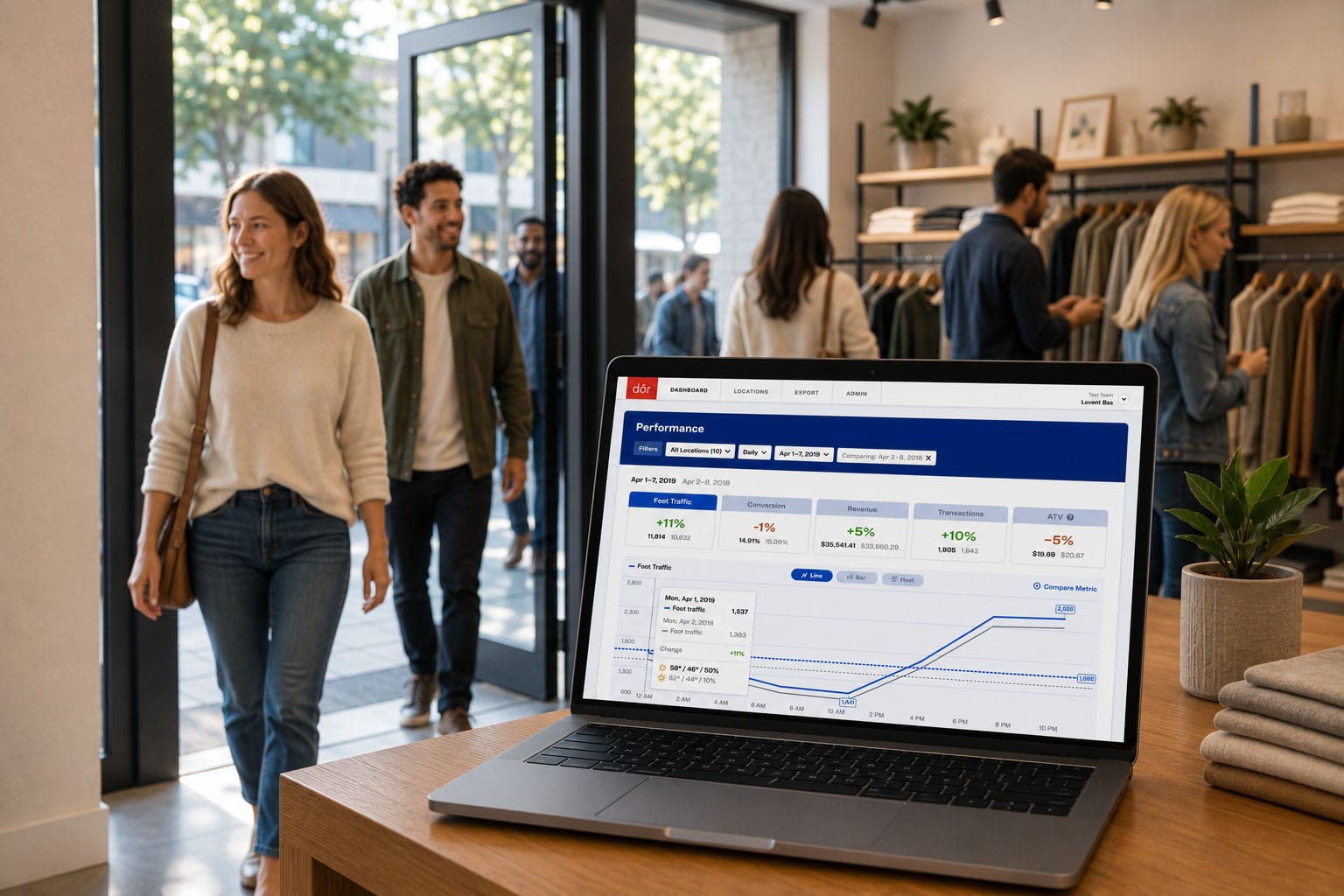
This whole playbook depends on one thing: an accurate, hour-by-hour count of who walks through your door. Manual clicker counts are inconsistent, and your POS only shows the people who already bought, not the ones who left.
That's the gap Dor fills. It's a peel-and-stick thermal sensor that installs in minutes with no wires, no Wi-Fi, and no IT involvement. It counts visitors with camera-level accuracy while capturing zero personal data, and the battery lasts more than two years. Connect your POS and you can see traffic and conversion by hour across every location, which is exactly the view this playbook runs on. More than 2,000 stores already use it to schedule with confidence.
If you're curious what your store's real peak-hour curve looks like, see how Dor tracks foot traffic and conversion.
Peak hour staffing isn't a once-a-year project. Map your curve, schedule backward from the peaks, rebalance by day and season, and check the result against conversion. Do that consistently and the same labor budget starts working a lot harder, because it's finally pointed at the hours that earn it.