Integrations


Connect Lightspeed POS With Dor Foot Traffic Data
Your POS tells you what customers purchased.
Dor tells you how many customers walked through the door.
Connect the two and transform traffic, transactions and sales into actionable retail intelligence.
How the Dor + Lightspeed Integration Works
Connect foot traffic data to Lightspeed in four steps. A POS foot traffic integration that needs no electrician, no wiring and no camera. Two powerful retail technology platforms, connected.
Dor Measures Customer Traffic
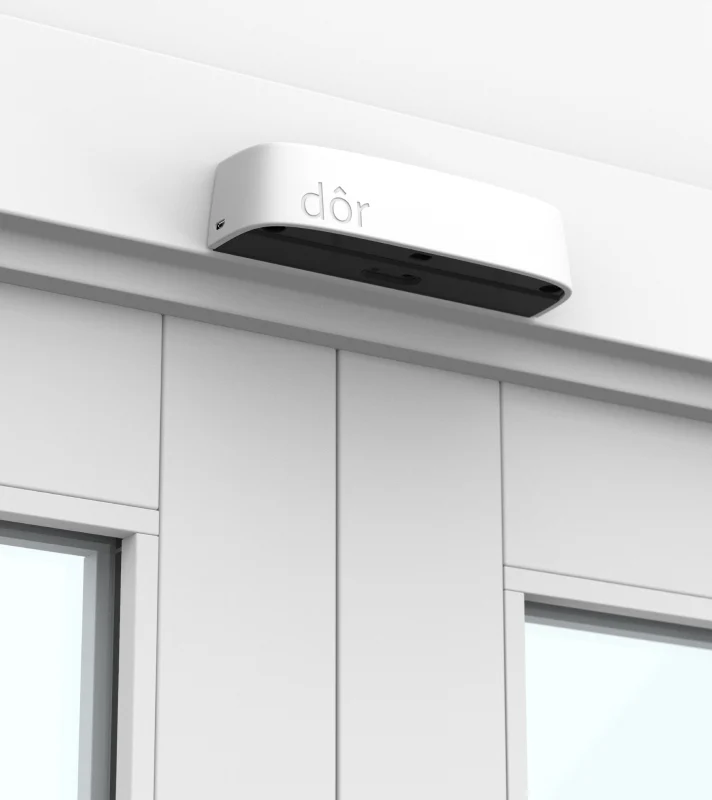
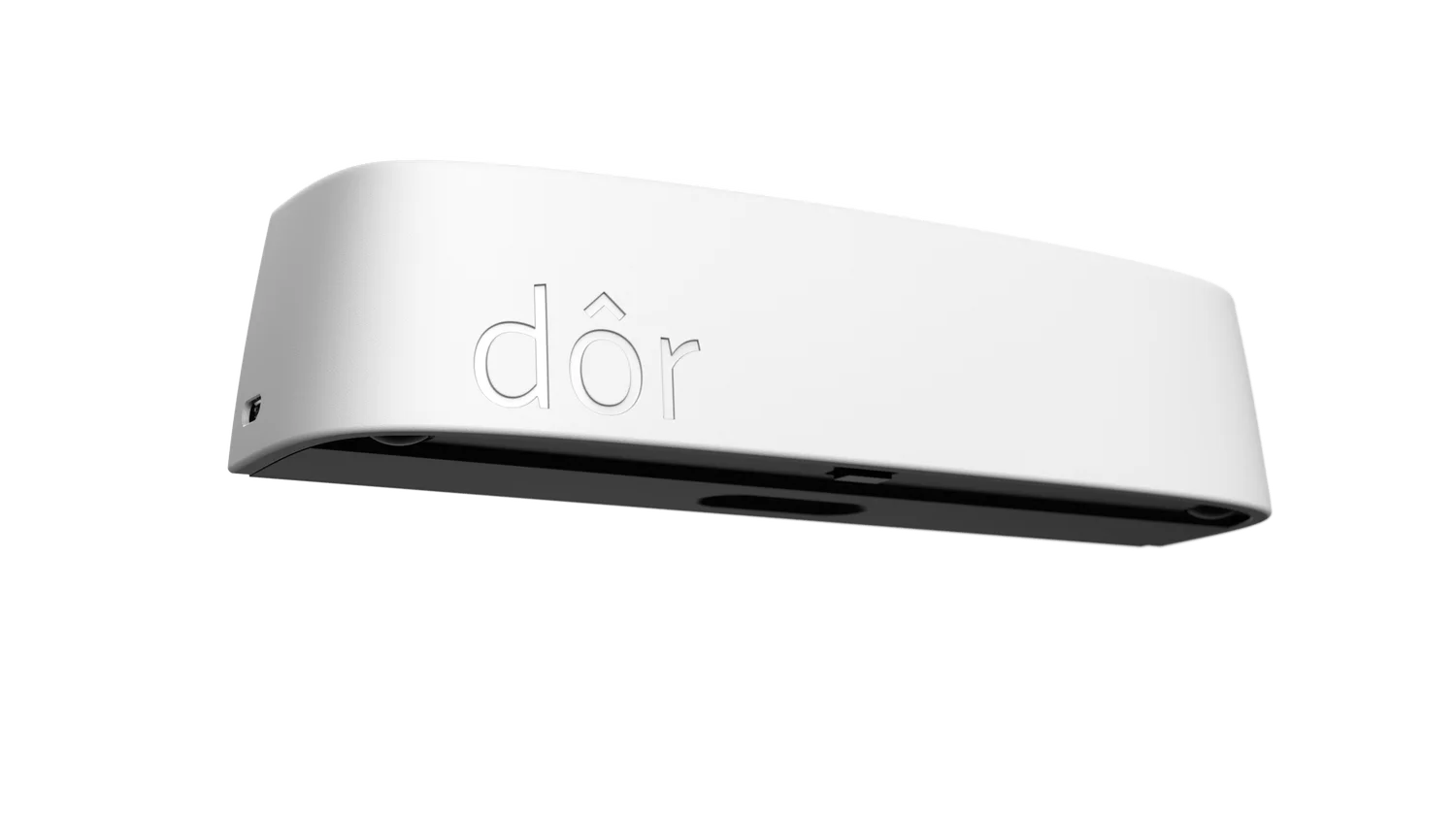
A thermal sensor peels and sticks above the door and counts every person entering and leaving. No cameras, no images, no facial data.
Lightspeed Records Transactions
Lightspeed POS supplies the transactions and sales for the same store, over the same hours.
The Data Comes Together
Your Lightspeed sales land next to traffic automatically in the Dor retail intelligence platform, matched by store and by hour.
Your Team Gets Actionable Insights
Measure retail conversion rate, sales per visitor and location rankings automatically, by hour, day, week and month.
One Integration. A Much Clearer View of Your Stores.
One people counting POS integration, using the POS you already have. Dor also works with Shopify, Square and other POS systems.
- Automatic traffic and sales comparison
- Store conversion reporting
- Sales-per-visitor analysis
- Hourly and daily performance trends
- Multi-location benchmarking
- Staffing intelligence
- Traffic forecasting
- Performance alerts
- AI-powered retail insights
Lightspeed Retail Analytics: Foot Traffic vs Sales in One View
Retail foot traffic analytics and Lightspeed sales on one screen, with the staffing and retail analytics that come with them.
- Foot Traffic1,000Dor
- Transactions320Lightspeed
- Conversion32%Together


Dor measures the opportunity. Lightspeed measures the result.
Figures above are a worked example, not a customer result.
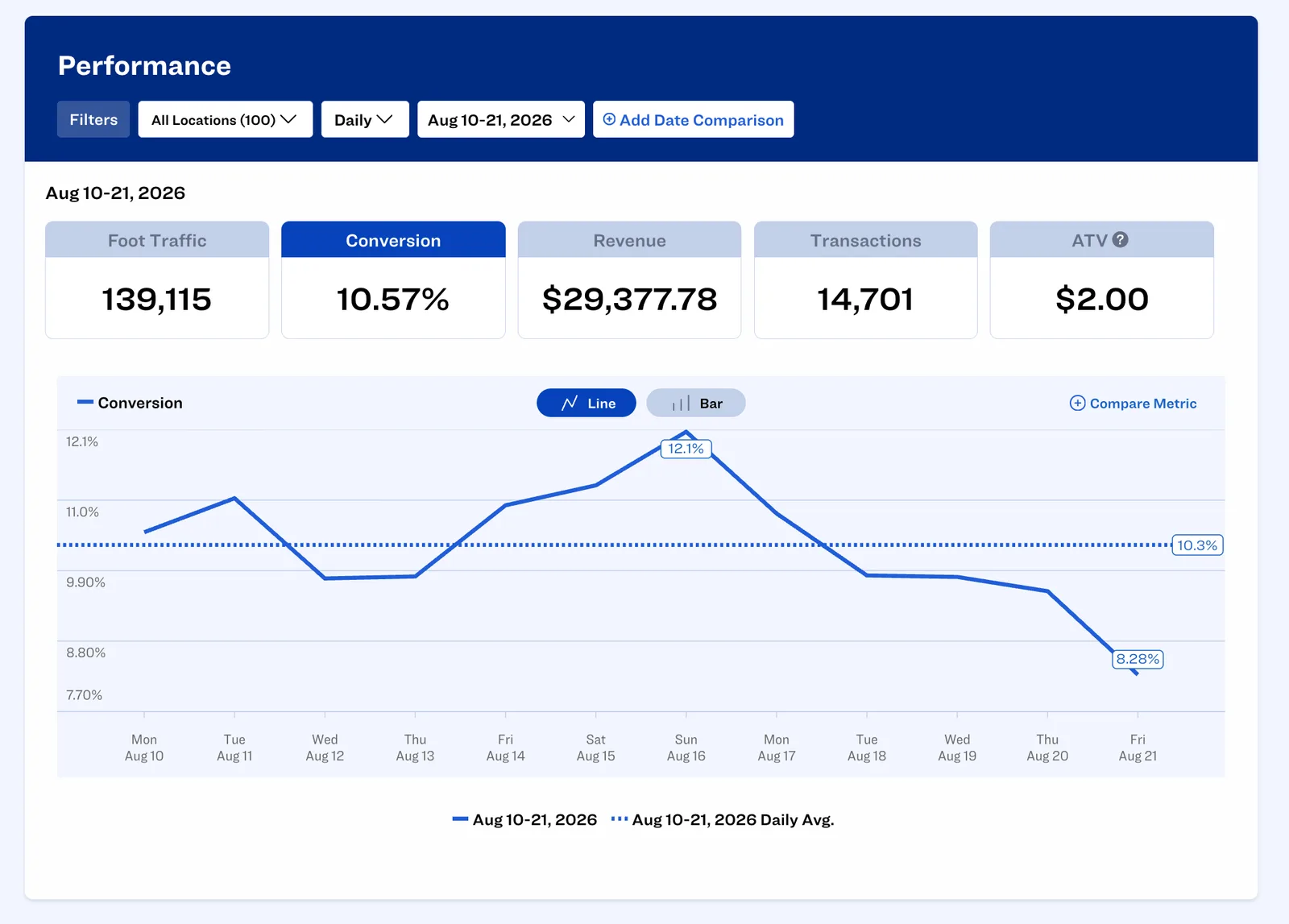
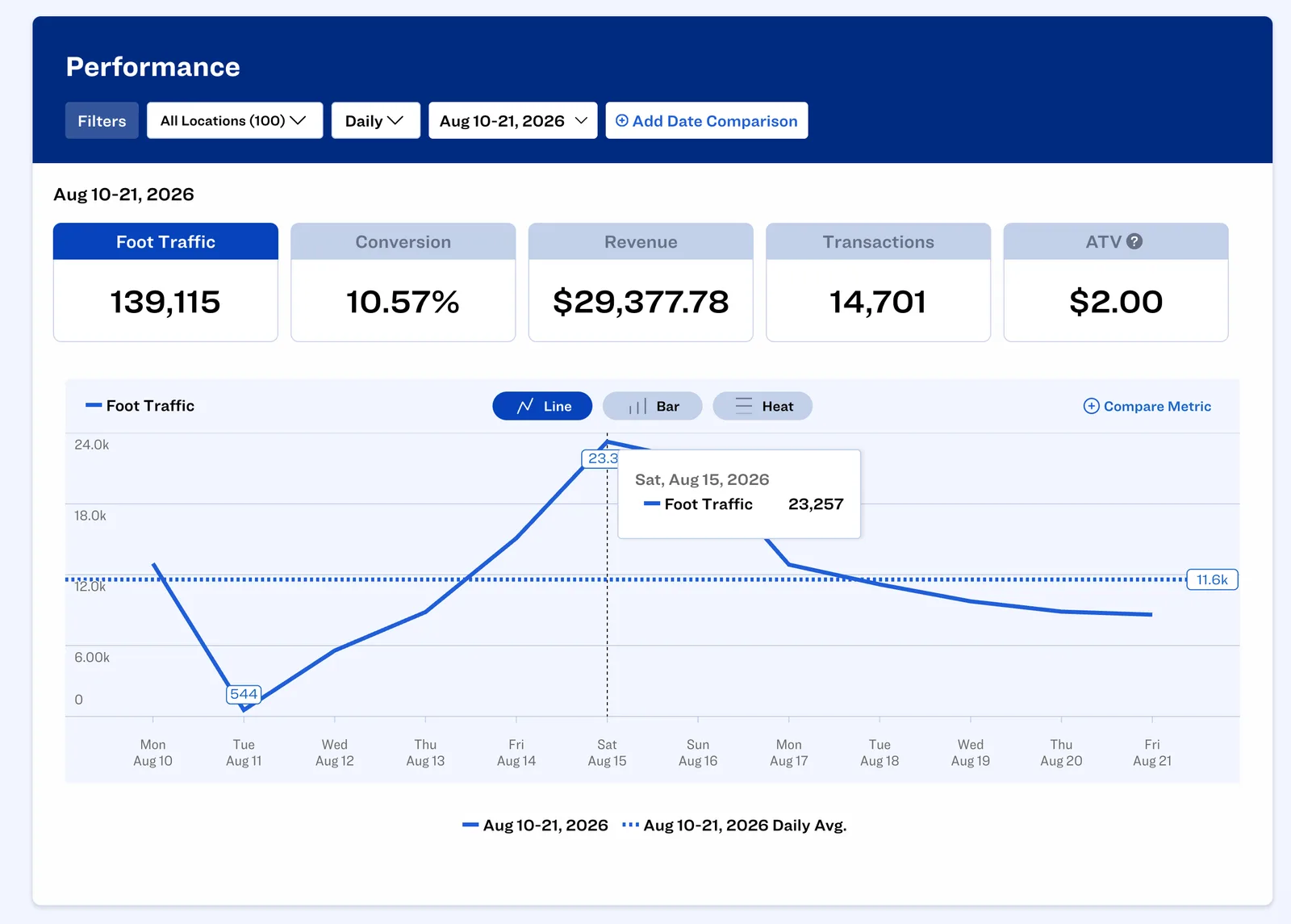
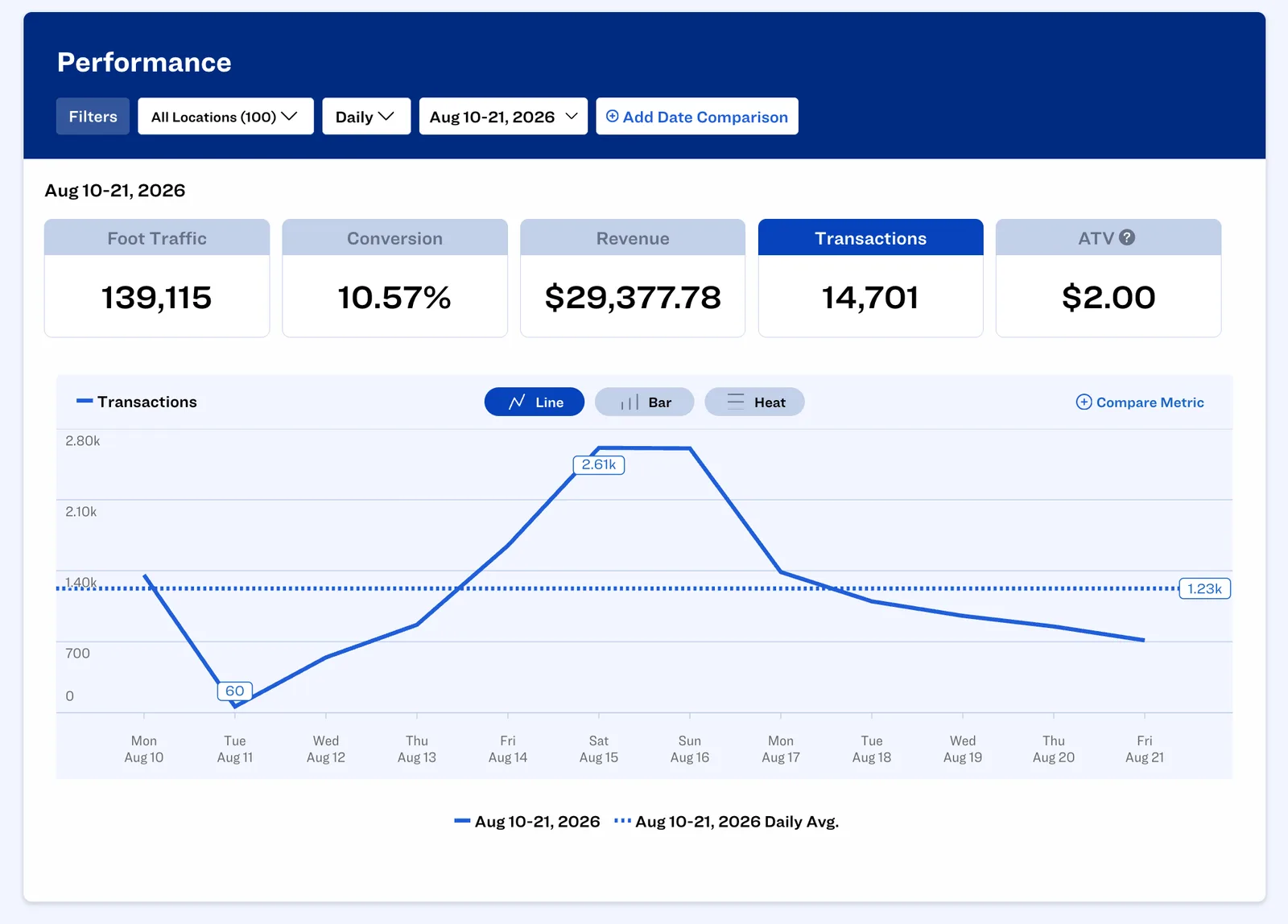
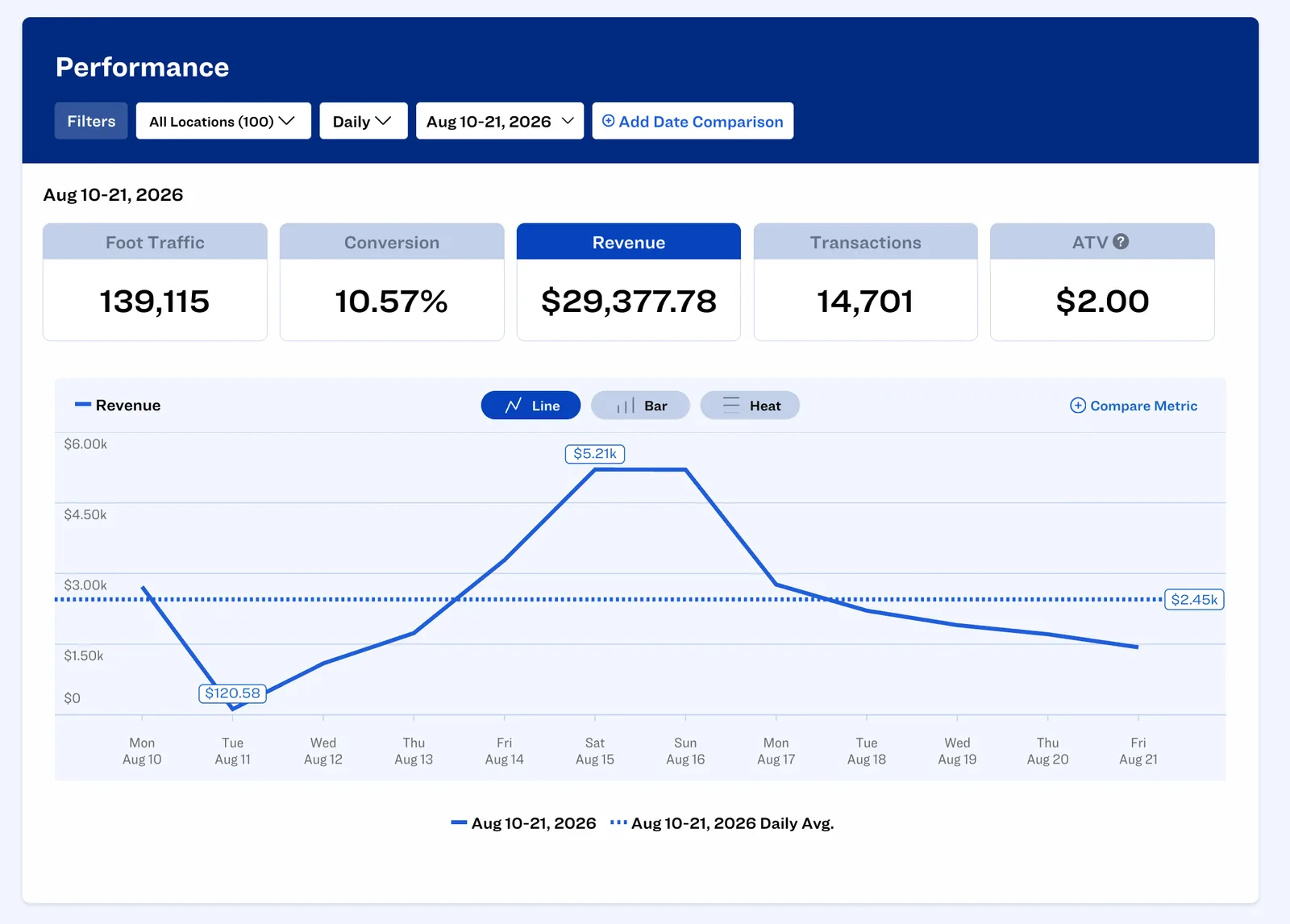
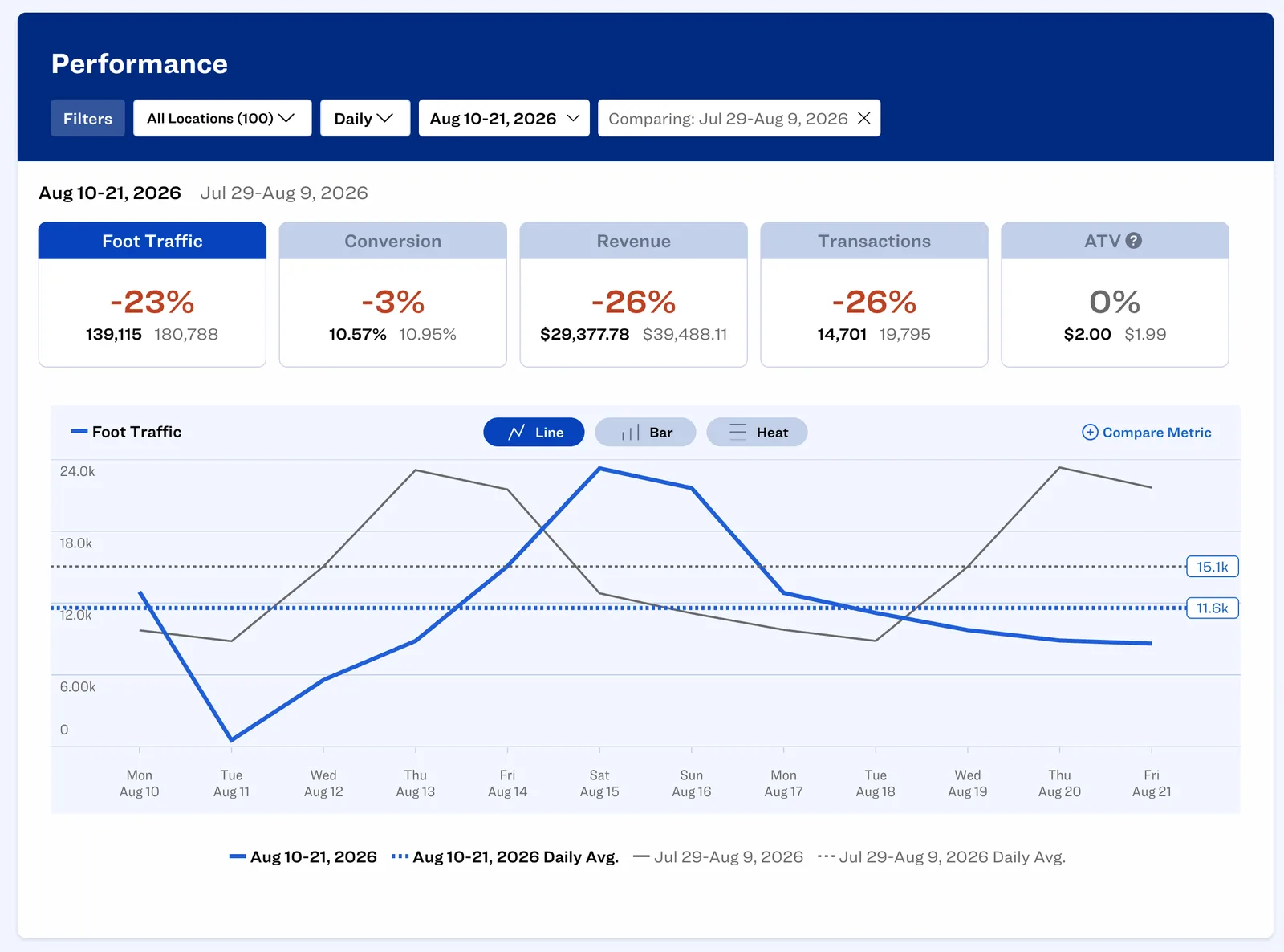
Traffic Tells You the Opportunity. Sales Tell You the Result.
Revenue by itself only tells part of the story.
A store doing $20,000 in sales could be performing incredibly well or leaving significant revenue on the table. Without knowing how many shoppers entered the store, it is difficult to know.
Turn Foot Traffic and Sales Into Retail Intelligence
Store Conversion Rate
See what percentage of the people who walk in actually buy something.
Transactions ÷ Foot Traffic × 100 = Conversion Rate
Sales Per Visitor
See what each visitor is worth in revenue. It is a fair way to compare a busy flagship against a quieter store.
High-Traffic, Low-Conversion Periods
Find the hours when the store was busy but sales were flat. Retail conversion analytics point you at the exact window that needs attention.
Location Performance
Judge stores on more than revenue. Traffic, conversion and sales per visitor together show which locations are really performing.
Staffing Intelligence
See when your busiest hours are and match them against sales, so you know when to add cover and when you are over-staffed.
Missed Revenue Opportunities
Every shopper who walks out without buying is opportunity your POS cannot see. Foot traffic puts a number on it, hour by hour and store by store.
Understand Why Sales Changed
The same sales number means two different things depending on what traffic did.
Sales Down 10%
Without traffic data
“Store performance is declining.”
With Dor + Lightspeed
Traffic was down 15%, while conversion improved.
The store team performed better despite lower customer demand.
Sales Up 5%
Without traffic data
“Great performance.”
With Dor + Lightspeed
Traffic increased 20%, while conversion declined significantly.
The store captured less of the available opportunity.
Compare Every Location on a Level Playing Field
Revenue alone can make high-traffic locations look like the strongest performers. Dor + Lightspeed brings retail traffic and sales data together so retailers can compare locations based on how effectively each store converts the traffic it receives.
Scroll horizontally to see all columns →
| Location | Foot Traffic | Conversion | Revenue | Transactions | ATV |
|---|---|---|---|---|---|
| Store C | 800 | 40% | $2,500 | 320 | $7.81 |
| Store B | 1,200 | 30% | $2,800 | 360 | $7.78 |
| Store A | 1,500 | 20% | $2,400 | 300 | $8.00 |
Worked example, not customer data, ranked by conversion. Store A draws almost twice the traffic of Store C and finishes last. Store B books the most revenue and still converts worse: the store with the most traffic or revenue is not necessarily the best-performing store.
Already Using Lightspeed? Add the Missing Traffic Layer.
You already have sales by store and hour. Add Dor and you also see the visitors behind those sales, so store conversion rate and sales per visitor calculate themselves.
Looking for a Modern Retail POS?
Dor works with Lightspeed to help retailers connect transactional performance with physical customer traffic. If you are considering Lightspeed for your retail business, you can learn more through our partner referral link.
Lightspeed and Foot Traffic: Common Questions
Can Lightspeed POS track foot traffic?
Lightspeed provides transactional and sales data. Dor adds physical foot traffic data, allowing retailers to compare visitors with transactions and calculate in-store conversion performance.
How do I calculate retail conversion rate with Lightspeed?
Here is how to calculate conversion rate with Lightspeed and Dor: Transactions ÷ Foot Traffic × 100 = Conversion Rate. For example, if 1,000 customers visit a store and 300 transactions occur, the store conversion rate is 30%.
Does Dor integrate with Lightspeed POS?
Yes. Dor can connect foot traffic intelligence with Lightspeed POS data so retailers can analyze traffic, transactions, revenue and conversion performance together.
Why connect foot traffic data with POS data?
Because the sale is only half the story. If 1,000 people walked in and 300 bought something, the other 700 are opportunity you can still win back. Traffic data is the only way to put a number on them.
Is there a people counter that integrates with Lightspeed?
Yes. Dor is a thermal people counter that integrates with Lightspeed POS. Mount the sensor above your door and Dor adds Lightspeed people counting to your POS data, matching visitors to sales by store and by hour so your Lightspeed conversion rate and sales per visitor are calculated automatically.
What metrics can retailers measure with Dor and Lightspeed?
Retailers can analyze foot traffic, transactions, conversion rate, revenue, sales per visitor, traffic trends and conversion trends: by hour, day, week and month, and ranked across every location.
My store has strong traffic but low conversion. What should I look at?
When customer demand is strong but sales are not keeping up, the usual causes are staffing coverage, customer service, merchandising, inventory availability, sales execution and the checkout experience. Dor beside Lightspeed shows you exactly when the drop-off is happening so you know which lever to pull.
How can Dor help with staffing decisions?
By comparing traffic against sales and conversion, Dor surfaces periods where customer demand exceeds staffing, traffic is strong but conversion falls, additional associates could improve performance, or staffing may be unnecessarily high during low-traffic periods.
Does Dor use cameras to count people?
No. Dor is a thermal sensor. It detects body heat to count people entering and leaving, so it captures no images, no video and no facial data. It mounts above the door in about five minutes.
What does Dor cost alongside Lightspeed?
Dor is priced per location per month, with a discount for annual billing, plus a one-time cost per sensor. Most single-entrance stores need one sensor. Visit the Dor pricing page for current rates.
A People Counter That Works With Lightspeed
Your stores already generate valuable sales data. Connect Dor with Lightspeed and you will finally see how many people it took to produce it.
POS data shows the sale. Dor shows the opportunity behind it.